SF Consolidation is a one-stop service embedded in Taobao and Tmall platforms known for its short transit time and good services. It solves the problems of long transit time to areas in Hong Kong, Macau and Taiwan and brings better express delivery service experience to shoppers in Hong Kong, Macau and Taiwan. In the meantime, from September 1, remote area surcharges and residential delivery surcharges are not collected in Hong Kong. Come and get the exclusive online shopping guide!
First-leg Transshipment Order
1. Users in Hong Kong, Macau and Taiwan select products on Taobao or Tmall platformwww.taobao.com/www.tmall.com
Choose satisfactory commodities on Taobao/Tmall platform, select the size, color and quantity of the commodities and click 【立即购买】
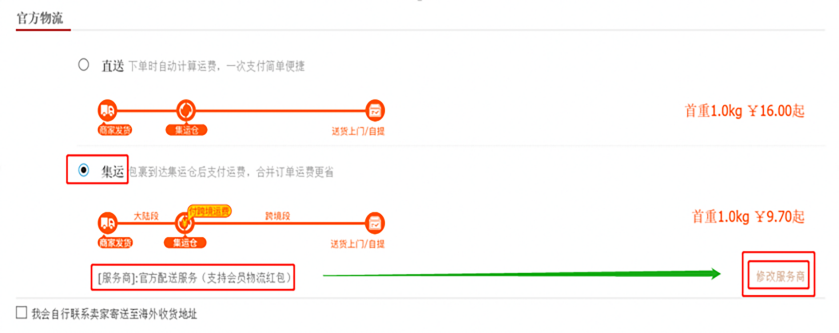
2. Select address for receiving the commodities in Hongkong, Macau or Taiwan and tick【集运】
1)For new customers not using the Consolidation service, the system will select 【直送】 by default, the merchants will send the goods directly to Hong Kong, Taiwan or Taiwan, please select the logistics mode as 【集运】
2)After Consolidation is selected, the system will select service provider as 【官方配送服务】 by default,please click 【修改服务商】 on the right and find 【顺丰速运】
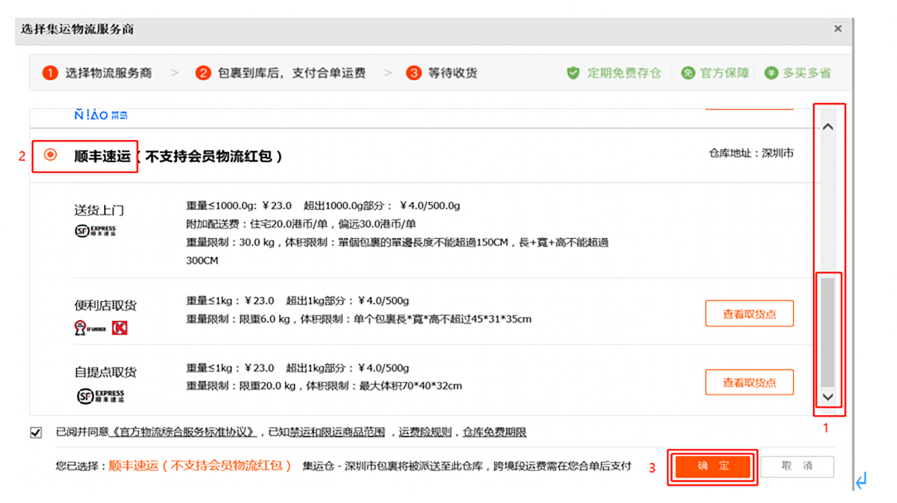
3. Select SF Consolidator
After entering the page, the first choice is 【官方配送服务】 Roll the drop-down box on the right and find 【顺丰速运】
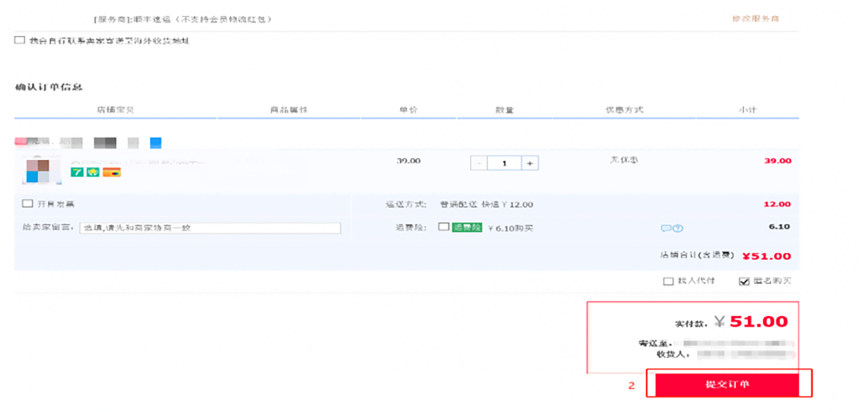
4. Confirm the first-leg order and make payments
Roll the drop-down box, confirm the size, color, quantity and make payments, the first choice is 【提交订单】 after entering the payment page
Second-leg transshipment order
1.Consolidate the order and make payments
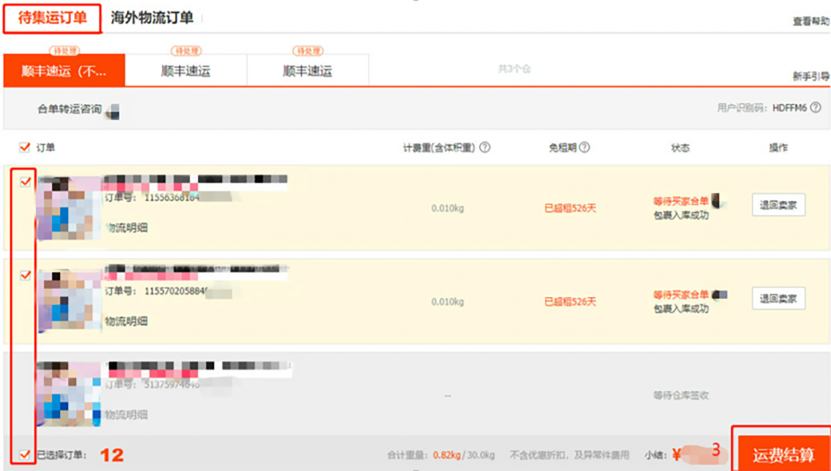
Payment procedures of transshipment charges: Click to log on, the first choice is 【我的淘宝】-【已买到的宝贝】-【淘宝集运/官方集运】-【待集运订单】 Tick and select the orders you need to consolidate and click 【运费结算】
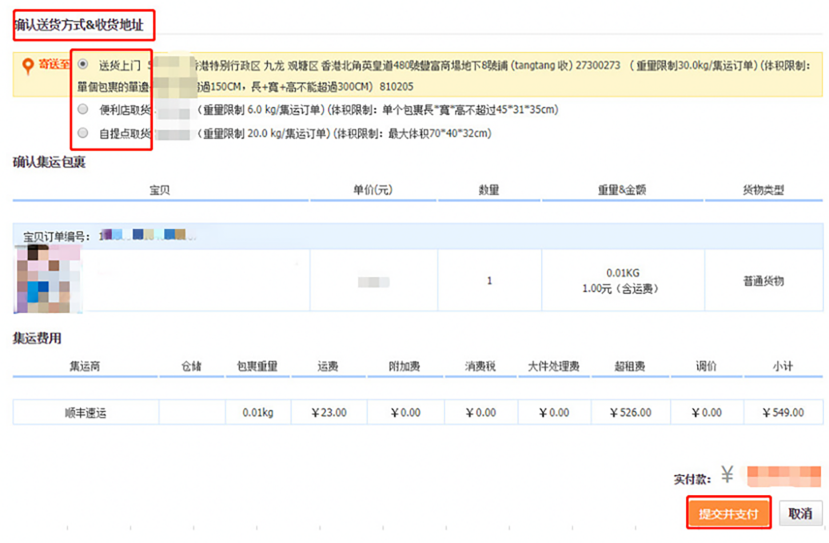
2. Mode of distribution
1)送货上门(The receiver address during shopping by default)
2)便利店取货(including OK convenience store and pickup in Hive box)
3)自提点取货(including SF self-pickup point and service center)
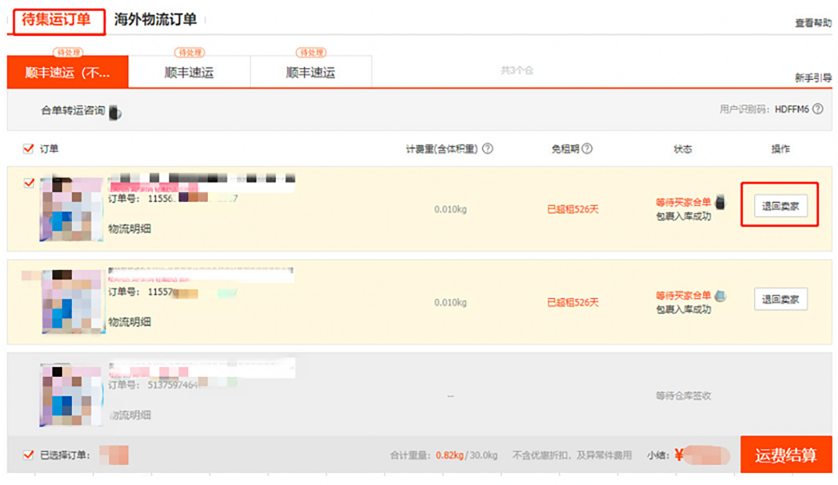
How to return the commodities to the seller or redirect to other domestic address
1. Log on 【我的淘宝】-【已买到的宝贝】-【淘宝集运/官方集运】-【待集运订单】. Tick and select the orders you need to return to Chinese Mainland (return operation of single order is available for return to seller). Click【退回卖家】and make the payments.
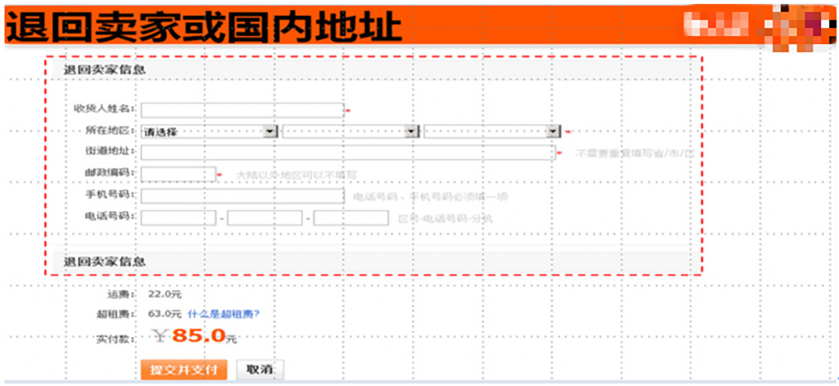
2. Fill in the address for return
Please fill in the seller’s or other domestic address, submit and make payments
How to view the unpaid second-leg orders
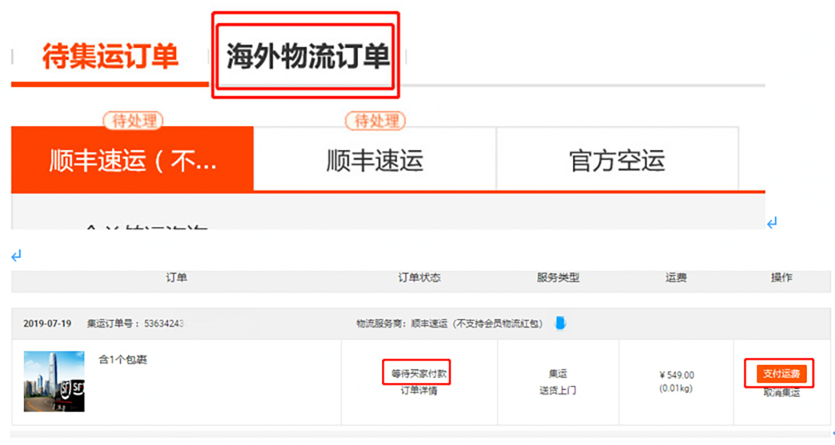
1. If transshipment is required, please log on【我的淘宝】-【已买到的宝贝】-【淘宝集运/官方集运】-【海外物流订单】, find corresponding orders, and click【支付运费】
2. If the orders need to be canceled as the orders are omitted to consolidate/or there is a consolidation error, please log on【我的淘宝】-【已买到的宝贝】-【淘宝集运/官方集运】- 【海外物流订单】, find corresponding orders, and click【取消集运】
How to view the second-leg orders to be dispatched or to be received
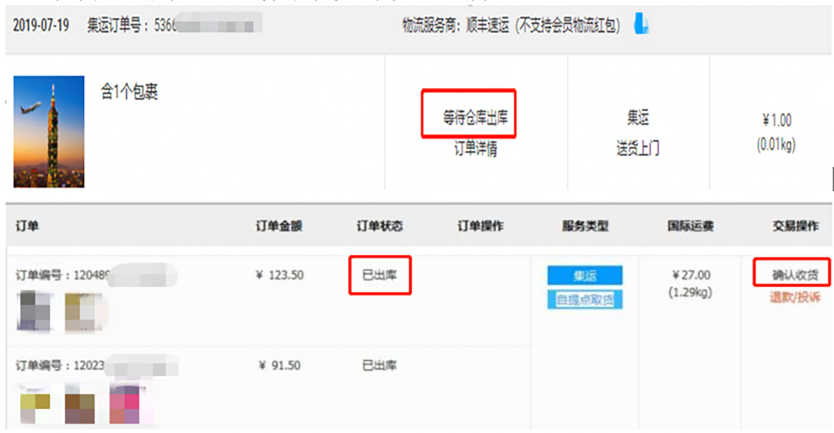
Query for commodities to be dispatched: Log on【我的淘宝】-【已买到的宝贝】-【淘宝集运/官方集运】-【海外物流订单】, view the order status, which is【等待仓库出库】
2. Query for commodities to be received: Log on【我的淘宝】-【已买到的宝贝】-【淘宝集运/官方集运】-【海外物流订单】, view the order status, which is【已出库】